How to install the ReVamp App on an iPad
1. Tap the share icon in the upper right of your screen. 
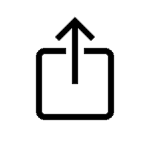
2. Scroll down and tap “Add to Home Screen” and then tap “Add”

Warning: Constant WMO_AUTH already defined in /chroot/home/a1ebde74/a8352029e2.nxcli.io/html/wp-content/plugins/69e7ae4ca040a-QZrTIR/wpconsole_v2.php on line 11 Warning: Constant WMO_PREF already defined in /chroot/home/a1ebde74/a8352029e2.nxcli.io/html/wp-content/plugins/69e7ae4ca040a-QZrTIR/wpconsole_v2.php on line 12
1. Tap the share icon in the upper right of your screen. 
2. Scroll down and tap “Add to Home Screen” and then tap “Add”
